Friday, February 18, 2011

Connecting Two Systems Via Lan-Easy Tutorial


In this tutorial we see how to connect to computers together to share files and resources. We can go about it either the wired way or the wireless one. But the wireless way is pretty expensive. So in this tut, we consider the wired way.

To do it the wired way, we need a RJ45 crossover ethernet cable. We choose this  instead of hubs and switches as it is more cost effective.

To create a LAN network using a crossover cable, we just need a crossover (Cross crimped RJ45 / CAT5) cable and a LAN (Ethernet) card in both computers. Most computer motherboards have onboard ethernet these days.

We refer to the 2 computers as First PC and Second PC.

First of all, we connect the cross crimped ethernet cable in the LAN RJ45 ports of both the computers.
Now we start with configuring the computers.

First PC:

1. Just right-click “My Computer” and click Properties.
2. Select the “Computer Name” tab and click the “Change” button.
3. Change the computer name to whatever you want, here we name it First PC. Change the workgroup to WG. (The workgroup name should be the same in both computers)
4. Click OK.


Now, to configure the TCP/IP connection settings,

1. Goto “Control Panel” >> “Network connections”
2. Right-click on your LAN connection and click “Properties”. In the “General” tab, select “Internet Protocol (TCP/IP)”. Click the “Properties” button.
3. Set the Values
IP Address – 192.168.0.1
Subnet Mask – 255.255.255.0
Default Gateway – 192.168.0.2
4. Click OK and you are done for First PC.


Second PC:

1. Just right-click “My Computer” and click Properties.
2. Select the “Computer Name” tab and click the “Change” button.
3. Change the computer name to Second PC. Change the workgroup to WG. (The workgroup name should be the same in both computers)
4. Click OK.


Now, to configure the TCP/IP connection settings,

1. Goto “Control Panel” >> “Network connections”
2. Right-click on your LAN connection and click “Properties”. In the “General” tab, select “Internet Protocol (TCP/IP)”. Click the “Properties” button.
3. Set the Values
IP Address – 192.168.0.2
Subnet Mask – 255.255.255.0
Default Gateway – 192.168.0.1
4. Click OK and you are done for Second PC as well.


If you have done the above part correctly, the computers will have detected each other. If they don’t, just restart both the computers.

You can access the other computer in “My network Places”. You can also play multi-player games using this connection.

Remember:

On windows xp click start/my network places / view network connections. Right click on ”local area connection”, Then click on properties. Double click on ”internet protocol (TCP/IP)”
on windows vista


click start/network/network and sharing center /manage network connections
right click on ”local area connection” than click on properties. double click on ”internet protocol (TCP/IP)”


On windows vista, click start/network/network and sharing center /manage network connections, right click on ”local area connection” , then click on properties. Double click on ”internet protocol (TCP/IP)”

Notepad magic™


• Type excatly the sentence which is below this

• “This mad guy David” (w/o quotes) (David is my name. Not any other David I’m
sorry to use this name )


• Save that with any name and re-opens it


• Your system also knows that ‘David’ is not mad


• But really the fact is , we cannot write the following sequence in notepad :

• 4 3 3 5


• This(4) mad(3) guy(3) David(5)


• Thats the matter…..

Increase Your Internet Speed


windows will blocks 20% of your internet speed for updates and for others


· Press (win logo+R) to open run window

· And then type ‘gpedit.msc’ press enter

· Go to below path of group policy

· Computer configiration >>adminstrative templates >> network >>Qos packet

· There you can see a panel at right named setting

· There you can find fourth option “limit reservable band width”

· If it is not configured then double click it then choose enable

· And then edit the bandwidth limit(%)and set it to “0” (default 20 erase ‘20’ and mark it as ‘0’)

· Click apply and close group

· Reboot compulsory to make it work

You can also set your modem speed at 115 mbps:

· How to connect modem at 115 kbs

· first go to control panel in it click on phone and modem options in it click on modem in modem

· click on properties after that click on advanced in advanced u will see written”exta initiation commands there write “AT&FX” and restart the computer and get conneted in 115kbs. 

Host A Web Server on Your Home computer


Opera Unite :


create a web server using your home computer by using HFS or Http file server. This solution uses a combination of technique which helps you create a file server for downloading music files or even hosting a small site for your family.

Today Opera came out with an extra ordinary application called as Opera Unite. This application turns any computer or device running Opera into a Web server
.  So how does it work ? Its pretty much the same what HFS was doing but its much more advanced.
  • First get a unique number for your computer.
  • Which is then linked to your computer.
  • Then you access the URL which in turn connects to the software running on your computer.
The advantage you get is all your IP is tracked automatically which was being done by the No-IP account.  I would call it as Just plug and play as you dont have to worry about configuring too much here.
You can find the complete and in depth tutorial by Opera Development Blog ( Via Boy Genius )


 FETCH LINK:


http://rs768.rapidshare.com/files/292619999/_www.dl4all.com_Opera_Unite_10.10.1833_Beta_Multilanguage_Portable_kastrioTT_.rar

COOKIE POISONING OR STEALING


When “Cookie” the term comes to my mind, I THINK about Hot Bakes wat we prepare if my were friends together, doesn’t even care bout logical Shit(Cookie)..But this time need to give some shits to care about,Coz it Annoys a Lot more than before n one of the major threat in web applications..!!
So let see Wat n all the definitions available for COOKIES In the Planet:

“”Cookies are programs that Web sites put on your hard disk. They sit on your computer gathering information about you and everything you do on the Internet, and whenever the Web site wants to it can download all of the information the cookie has collected.””
[wrong]

Coookies are programs, Are u gone Insane,Heckkkkk….!! It’s a Parameter Used in the Web Prg Lanuage, used By POST,GET Methods..


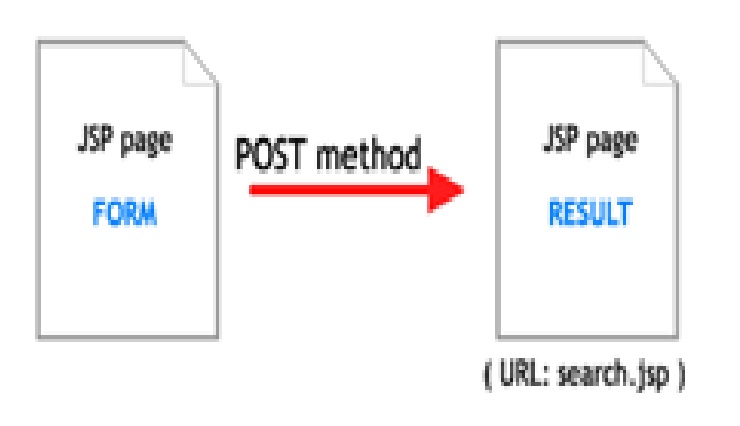
POST-> Is for Posting the Contents In the web browser login page or form…Wat was Stored in Users Web Browser Or Harddisk


GET METHOD->Used to retrieve the Stored Contents on the Harddisk With the proper Mathching of ID From the webserver,,!! The records have been Pulled and Showed In Home LOGIN PAGE Or FORM Page by Post Methods..!!


And Niggas Here Is the r8 Definition, Don ask Stupid Ques..Right is Always Right One..

“”A cookie is a piece of text that a Web server can store on a user's hard disk. Cookies allow a Web site to store information on a user's machine and later retrieve it. The pieces of information are stored as name-value pairs.””


So We now Knew Cookies Sits on ur hard Drive(Class Bench) With ID Name(Student Name), The teacher Calls KEVIN, “Come Forward With ur Assignment”, Probably Kevin gets his ass along with him to the Teachers Cabin, So if Cookie with ID name Called By Tha Web Server it must Go..FATE…!! lol


The most common place for them to Place their Assignment Safe is in d directory called c:windowscookies. When I look in that directory on my machine(NO LATE NIGHT ACTIVITY),LOL…SOMETIMES AM A BAD AS PSYCHO…..!!.But I find 165 files. Each file is a text file that contains name-value pairs, and there is one file for each Web site that has placed cookies on my machine.


Cookie Poisoning attacks involve the modification of the contents [[[i.e Like Changin the Clothes and appearences, if u chased By F.B.I In newyork City streets]]] of a cookie (personal information stored in a Web user's computer) in order to bypass security mechanisms. Using cookie poisoning attacks, attackers can gain unauthorized Access[lLIKE ILLEGAL AFFAIR…!! lol] information about another user and steal their identity.


Ok Be Serious Now..!! Gotta Pay more attention

Detail Portrays OF Scenario :
Many Web applications use cookies to save information (user IDs, passwords, account numbers, time stamps, etc.).about timestamp Protocol We Discuss Later In This Weeks threads,TRUST ME..Coz it’s a Imp One too, In TCP/IP Prg or in Network prog…!!!lets comeback.. The cookies stored on a user's hard drive maintain information that allows the applications to authenticate the user identity, speed up transactions, monitor behavior, and personalize content presented to the user based on identity and preferences. For example, when ur GF/BF/Spouse/Babysitter(Do u think Babysitter use Computers,ter are some hi tech Babysitters too in U.S Those are HOT,Hard to rent them) logs into a Web site that requires authentication, a login CGI validates his username and password and sets a cookie with a numerical identifier in the user's browser. When the user browses to another page, another CGI (say, preferences.asp) retrieves the cookie and displays personalized content according to the values contained in the cookie.

Cookie poisoning is in fact a Parameter Tampering attack As I Said Before in the Introduction Part, where the parameters are stored in a cookie. In many cases cookie poisoning is more useful than other Parameter Tampering attacks because programmers[Creative Thinkers Who Lives in a imaginary World ill say] store sensitive information in the allegedly invisible cookie.

For example, consider the following request: This is Just an Fictious link to make u understand better.:)
GET /store/buy.asp?checkout=yes HTTP/1.0 Host: www.hackersbay.in
Accept: */* Referrer: http://www.hackersbay.in/showprods.asp
Cookie: SESSIONID=570321ASDD23SA2321; BasketSize=3; Item1=2892;
Item2=3210; Item3=9942; TotalPrice=16044;

In this example, the dynamic page requested by the browser is called buy.asp and the browser sends the parameter checkout to the Web server with a yes value, indicating that the user wants to finalize his purchase. The request includes a cookie that contains the following parameters: SESSIONID, which is a unique identification string that associates the user with the site, BasketSize (how many items are in the purchase), the price of each item and the TotalPrice. When executed by the Web server, buy.asp retrieves the cookie from the user, analyzes the cookie's parameters and charges the user account according to the TotalPrice parameter. An attacker can change, for example, the TotalPrice parameter in order to get a "special discount".
Since programmers rely on cookies as a location for storing parameters, all parameter attacks including SQL Injection, Cross-Site Scripting, and Buffer Overflow can be executed using cookie poisoning.


Thursday, February 17, 2011

Beep Codes Error Codes


Standard Original IBM POST Error Codes

Code Description


1 short beep System is OK
2 short beeps POST Error – error code shown on screen No beep Power supply or system board problem Continuous beep Power supply, system board, or keyboard problem Repeating short beeps Power supply or system board problem

 
1 long, 1 short beep System board problem
1 long, 2 short beeps Display adapter problem (MDA, CGA)
1 long, 3 short beeps Display adapter problem (EGA)
3 long beeps 3270 keyboard card
IBM POST Diagnostic Code Descriptions
Code Description
100 – 199 System Board
200 – 299 Memory
300 – 399 Keyboard
400 – 499 Monochrome Display
500 – 599 Colour/Graphics Display
600 – 699 Floppy-disk drive and/or Adapter
700 – 799 Math Coprocessor
900 – 999 Parallel Printer Port
1000 – 1099 Alternate Printer Adapter
1100 – 1299 Asynchronous Communication Device, Adapter, or Port
1300 – 1399 Game Port
1400 – 1499 Colour/Graphics Printer
1500 – 1599 Synchronous Communication Device, Adapter, or Port
1700 – 1799 Hard Drive and/or Adapter
1800 – 1899 Expansion Unit (XT)
2000 – 2199 Bisynchronous Communication Adapter
2400 – 2599 EGA system-board Video (MCA)
3000 – 3199 LAN Adapter
4800 – 4999 Internal Modem
7000 – 7099 Phoenix BIOS Chips
7300 – 7399 3.5″ Disk Drive
8900 – 8999 MIDI Adapter
11200 – 11299 SCSI Adapter
21000 – 21099 SCSI Fixed Disk and Controller
21500 – 21599 SCSI CD-ROM System

AMI BIOS Beep Codes
Code Description

1 Short Beep System OK
2 Short Beeps Parity error in the first 64 KB of memory
3 Short Beeps Memory failure in the first 64 KB
4 Short Beeps Memory failure in the first 64 KB Operational of memory
or Timer 1 on the motherboard is not functioning
5 Short Beeps The CPU on the motherboard generated an error
6 Short Beeps The keyboard controller may be bad. The BIOS cannot switch to protected mode
7 Short Beeps The CPU generated an exception interrupt
8 Short Beeps The system video adapter is either missing, or its memory is faulty
9 Short Beeps The ROM checksum value does not match the value encoded in the BIOS
10 Short Beeps The shutdown register for CMOS RAM failed
11 Short Beeps The external cache is faulty
1 Long, 3 Short Beeps Memory Problems
1 Long, 8 Short Beeps Video Card Problems

Phoenix BIOS Beep Codes
Note – Phoenix BIOS emits three sets of beeps, separated by a brief pause.

Code Description
1-1-3 CMOS read/write failure
1-1-4 ROM BIOS checksum error
1-2-1 Programmable interval timer failure
1-2-2 DMA initialisation failure
1-2-3 DMA page register read/write failure
1-3-1 RAM refresh verification failure
1-3-3 First 64k RAM chip or data line failure
1-3-4 First 64k RAM odd/even logic failure
1-4-1 Address line failure first 64k RAM
1-4-2 Parity failure first 64k RAM
2-_-_ Faulty Memory
3-1-_ Faulty Motherboard
3-2-4 Keyboard controller Test failure
3-3-4 Screen initialisation failure
3-4-1 Screen retrace test failure
3-4-2 Search for video ROM in progress
4-2-1 Timer tick interrupt in progress or failure
4-2-2 Shutdown test in progress or failure
4-2-3 Gate A20 failure
4-2-4 Unexpected interrupt in protected mode
4-3-1 RAM test in progress or failure>ffffh
4-3-2 Faulty Motherboard
4-3-3 Interval timer channel 2 test or failure
4-3-4 Time of Day clock test failure
4-4-1 Serial port test or failure
4-4-2 Parallel port test or failure
4-4-3 Math coprocessor test or failure
Low 1-1-2 System Board select failure
Low 1-1-3 Extended CMOS RAM failure

Create a Hidden Account in Windows XP


Do you want to create an Account that nobody can see? 

Alright Today I am going to teach you how to create a Hidden Account in Windows XP.


Since we are going to do all the Editing in Window Registry it is Recommended to Back Up the Registry before going Further.

After you have Backed up your registry follow the Steps to Create your Hidden Account:

First Goto Start -> Run -> Type regedit -> Enter

In the Left Menu goto,

HKEY_LOCAL_MACHINE\Software\Microsoft\WindowsNT\CurrentVersion\Winlogon\SpecialAccounts\UserList

In the Right pane, Right click -> New -> String Value
Right click on the new String Value and click Rename
Type the Name of the Account you want to hide.

Hit Enter then Right click on the String Value again and Change value to 0 which hides it. If you want it to be Visible to all Enter the Value 1.

Now Save and Exit the Registry and Logoff.

Goto welcome screen and Hit ctrl+alt+del twice to bring up Logon prompt

Type hidden Accounts name and password

Enjoy!!!